01
Small buttons and tiny text get in the way.
How Aster helps
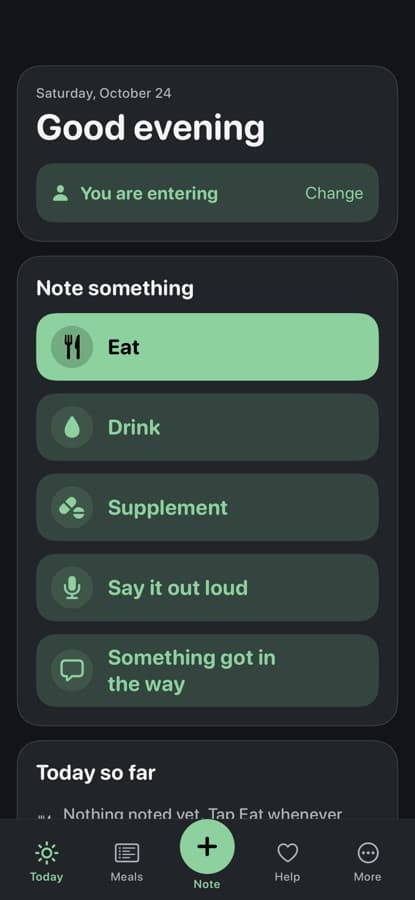
Every action is a large button with words beside the icon, and the text starts large.
MEALS, DRINKS AND THE HELP AROUND YOU
Aster organizes meals, drinks and the help around you in one place, with large text and big labeled buttons.


On iPhone, Aster is part of Pippa Companions. Open it and pick Aster. On Android, get Nomi: the same care, with a companion.

For older adults and the people who help them.
Large text and big buttons
Words beside every icon
Helpers named on every note
Say it out loud
EATING WELL AS AN OLDER ADULT
Appetite and thirst often fade with age, so older adults can eat and drink too little without noticing, which raises the risk of dehydration, weakness and falls. Chewing, cooking, shopping, eating alone, small screens and tiny buttons all get in the way, and family members helping from a distance want to know how things are going without taking over.
Every action is a large button with words beside the icon, and the text starts large.
Helper mode lets someone note for you, and every note says who added it.
Say what you had out loud, check the words on screen, then save.
Note it in one tap, like chewing, cost or eating alone, so it can be talked about.
Any food or fluid advice comes from your clinician. Aster keeps the notes and the help organized.
HOW IT WORKS
Add the meals and drinks you usually have.
Or say it out loud. A helper can note too.
Help is always one tap from Today.
INSIDE THE APP
Real screens from the current build, as a new account sees them.
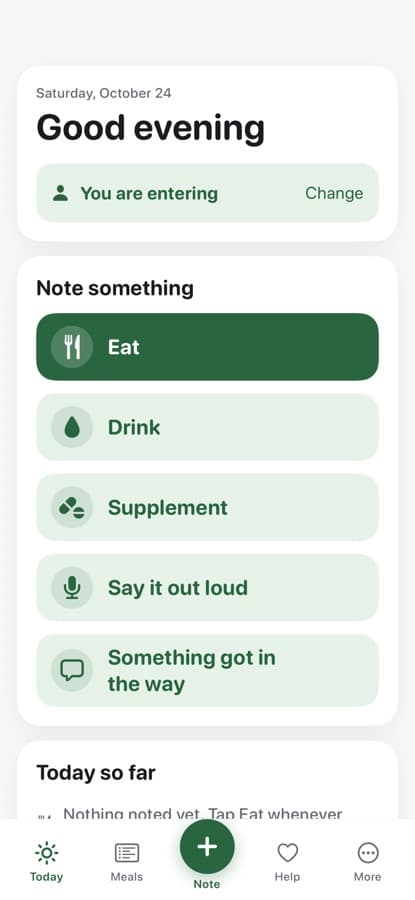
A greeting, who is entering, the next thing on your routine, and big buttons to note a meal or drink.
Aster follows your phone’s light or dark setting, with a high-contrast option too.
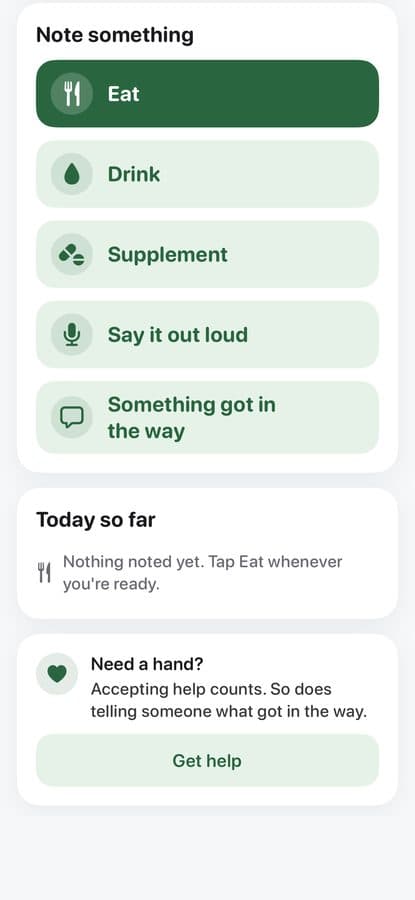
Note something, see today so far, and get help in one tap.
WHAT IT DOES
For older adults and the people who help them.
Eat, drink, supplement, or something got in the way.
Someone helping can note for you, and every note says who added it.
Speak what you had, check the words, then save.
Turn on a simpler layout with just four places.
PRIVACY
Nothing goes to a care team unless you connect to a participating program. Once you connect, they can see what you log in the app, and you can stop sharing at any time.
Meal photos are kept on your device. Aster has no AI chat and no AI food naming. You can delete your account and data at any time.
We do not sell your data or show ads. Read exactly what we collect in our policies.
FAQ
No. On iPhone, Aster is a program inside Pippa Companions. Download Pippa Companions, open it and pick Aster. Aster isn’t on Android yet. On Android, Nomi covers the same care, with a companion.
No. Aster does not diagnose nutrition problems, set food or fluid amounts, or replace help from a clinician.
Only once you connect to a participating program with a code or invite. After that they can see what you note in the app, and you can stop sharing at any time. Nothing is watched in real time.
No. The app does not monitor your notes in real time. If you need urgent help, call 911 or your local emergency number.
The app is free to download. Noting, asking for help, your care team and your history never depend on a payment.
PIPPA COMPANIONS
On iPhone, Aster lives inside Pippa Companions: one app with a program for each kind of care. On Android, each companion is its own app on Google Play.
Pippa Companions has a program for each kind of care, all in one app on your iPhone.
The first time you open it, choose your program from a home screen of icons. Press and hold an icon to see what it’s for.
Each program keeps its own account and its own notes.
Pro is optional. One Pippa Companions Pro subscription covers every program.
Hydration and POTS
Diabetes
Bariatric surgery
IBS and gut symptoms
After surgery or new meds
Cancer treatment
Older adults
 NomiCompanionAsterYou’re here
Eating recovery
Companion programs come with a friendly character. Plain-style programs have the same care tools, without one.
A 15-minute walkthrough of Aster and the care-team dashboard, with your program's workflow in mind. No slides, just the product.
Here as a patient? Take your time. Everything in Aster is optional, and logging is free.
On iPhone, Aster is part of Pippa Companions. Open it and pick Aster. On Android, get Nomi: the same care, with a companion.

Aster organizes meals, drinks and the help around you in one place, with large text and big labeled buttons.
On iPhone, Aster is part of Pippa Companions. Open it and pick Aster. On Android, get Nomi: the same care, with a companion.


